Account and User Data Deletion
In compliance with privacy and data protection policies, we provide users with the ability to delete their account and all associated information directly from the mobile application.
Data Collected and Deleted
When you request account deletion, the following data will be permanently deleted:
- Username
- Email address
- Account password
- Projects and records associated with your account
Step-by-Step Instructions to Delete Your Account
Step 1: Access Your Profile
Open the application and navigate to the Profile section by tapping the circular gold icon displaying your initials, located in the upper-left corner.

Step 2: Select "Delete Account"
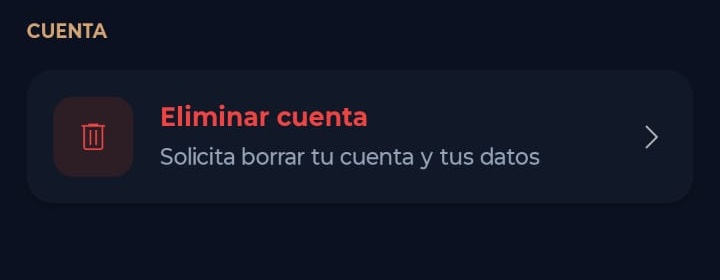
On the Profile and Account screen, scroll down to the Account section and select the Delete Account option.
Step 3: Confirm Your Request
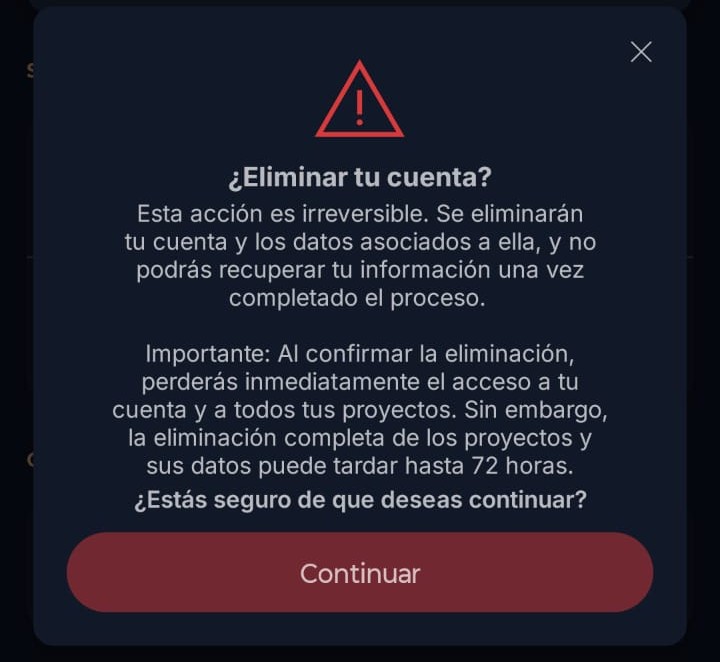
A warning message will appear informing you that this action is irreversible. To proceed, tap the Continue button.
Step 4: Process Completion
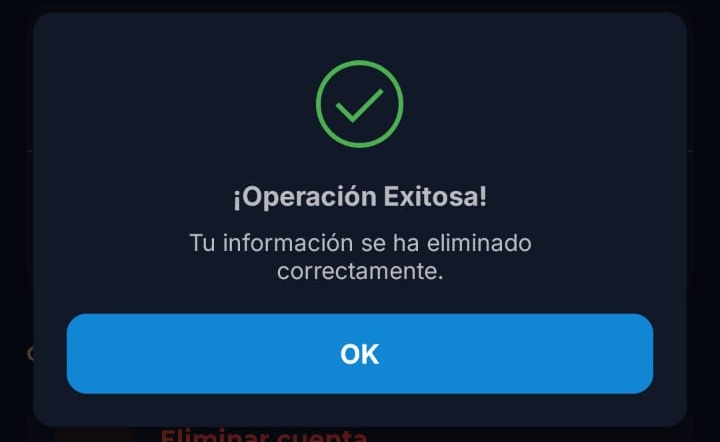
A Operation Successful! confirmation message will appear, indicating that your information has been successfully deleted.
If your session has been active for more than 5 minutes, the application will require you to sign out and sign in again before completing the deletion process, for security reasons.